
Logo

Growth Modelling Tool

Project your growth based on marketing, sales & finance inputs.

Enter your email to access for free.

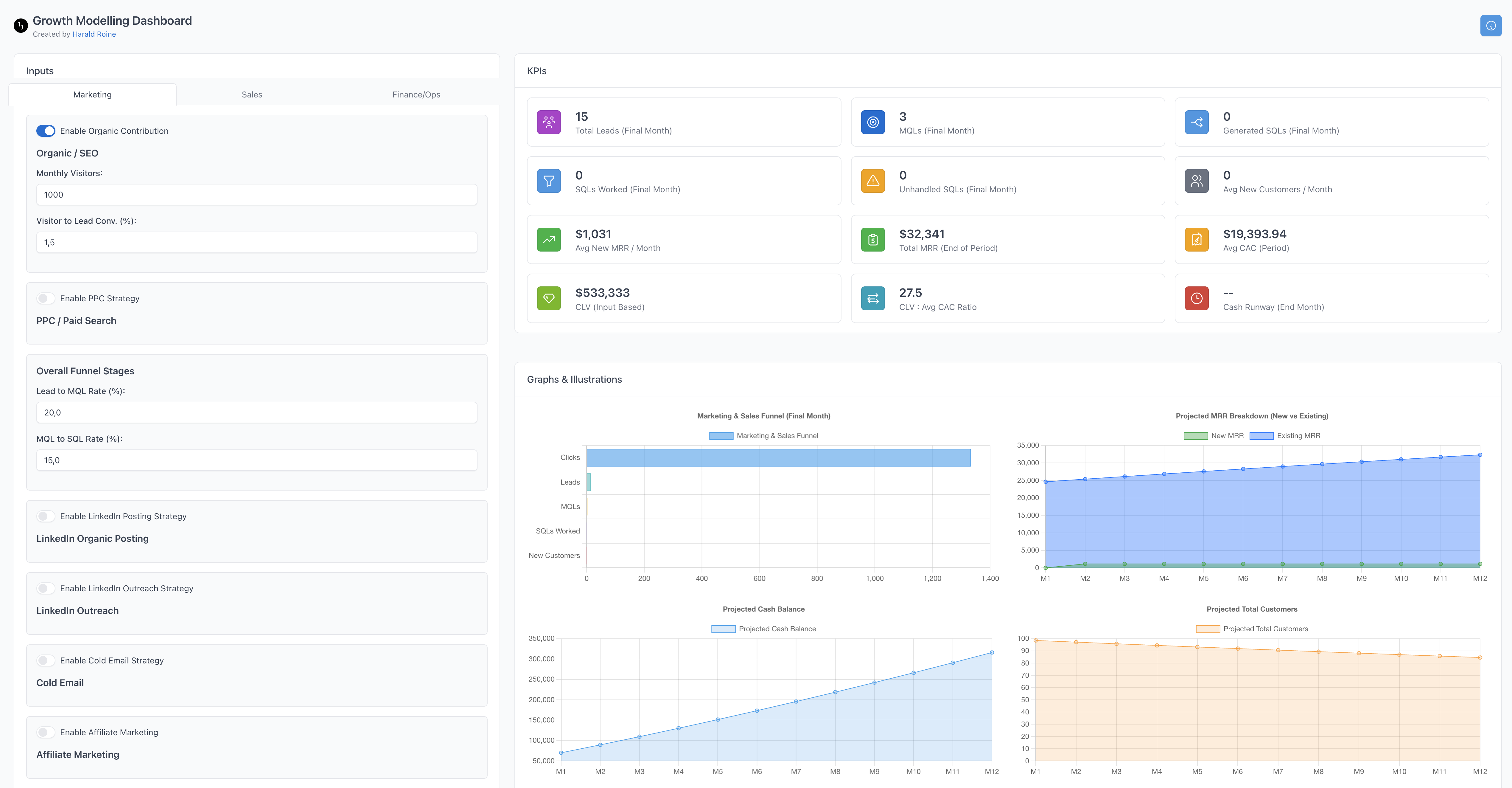
Tool Preview

Created by Harald Roine

Loading...
Logo

Growth Modelling Dashboard

Created by Harald Roine

Inputs

  • Marketing
  • Sales
  • Finance/Ops
Organic / SEO
PPC / Paid Search
Overall Funnel Stages
LinkedIn Organic Posting
LinkedIn Outreach
Cold Email
Affiliate Marketing
Percentage of total customers at the start of each month who become new affiliates.
Social Paid Ads (CPM Based)
Sales Base
Hiring Plan
Enter 0 or leave blank to disable hiring.
Core Finance


Sensitivity Analysis

KPIs

--
Total Leads (Final Month)
--
MQLs (Final Month)
--
Generated SQLs (Final Month)
--
SQLs Worked (Final Month)
--
Unhandled SQLs (Final Month)
--
Avg New Customers / Month
--
Avg New MRR / Month
--
Total MRR (End of Period)
--
Avg CAC (Period)
--
CLV (Input Based)
--
CLV : Avg CAC Ratio
--
Cash Runway (End Month)
--
Active Affiliates (End)

Graphs & Illustrations

Growth Modelling Tool - Guide

Welcome!

This tool helps you project business growth based on various marketing, sales, and financial inputs.


Inputs Section

Use the tabs (Marketing, Sales, Finance/Ops) to enter your assumptions:

  • Marketing: Define performance for channels like Organic, PPC, LinkedIn, etc. Use the toggles to enable/disable specific strategies. Input budgets, conversion rates, and costs.
  • Sales: Set up your sales team (reps, capacity), conversion rates (SQL to Win), deal size, and sales cycle length. Plan future hires using the Hiring Plan section.
  • Finance/Ops: Enter starting conditions (Customers, MRR, Cash), operational costs (COGS, Mkt Team, R&D, G&A), commission structures, and churn rate.

Tip: Hover over KPI titles or input labels for tooltips explaining the metric.


Outputs Section

  • KPIs: Key metrics calculated based on your inputs. See results like final MRR, Cash Runway, Avg CAC, CLV:CAC ratio, and channel cost efficiencies (CPL/CPSQL).
  • Graphs: Visual representations of your projections, including MRR growth, cash flow, customer numbers, funnel performance, cost breakdowns, and lead sources over time.
  • Hiring Suggestion: An alert appears if your projected SQLs exceed your sales team's capacity, suggesting potential hires.

Sensitivity Analysis

Select an input parameter and a variation percentage (+/-) to see how changes impact key outcome KPIs like Final MRR, Runway, CAC, and CLV:CAC ratio. This helps understand which assumptions have the biggest impact on your forecast.